

Definition
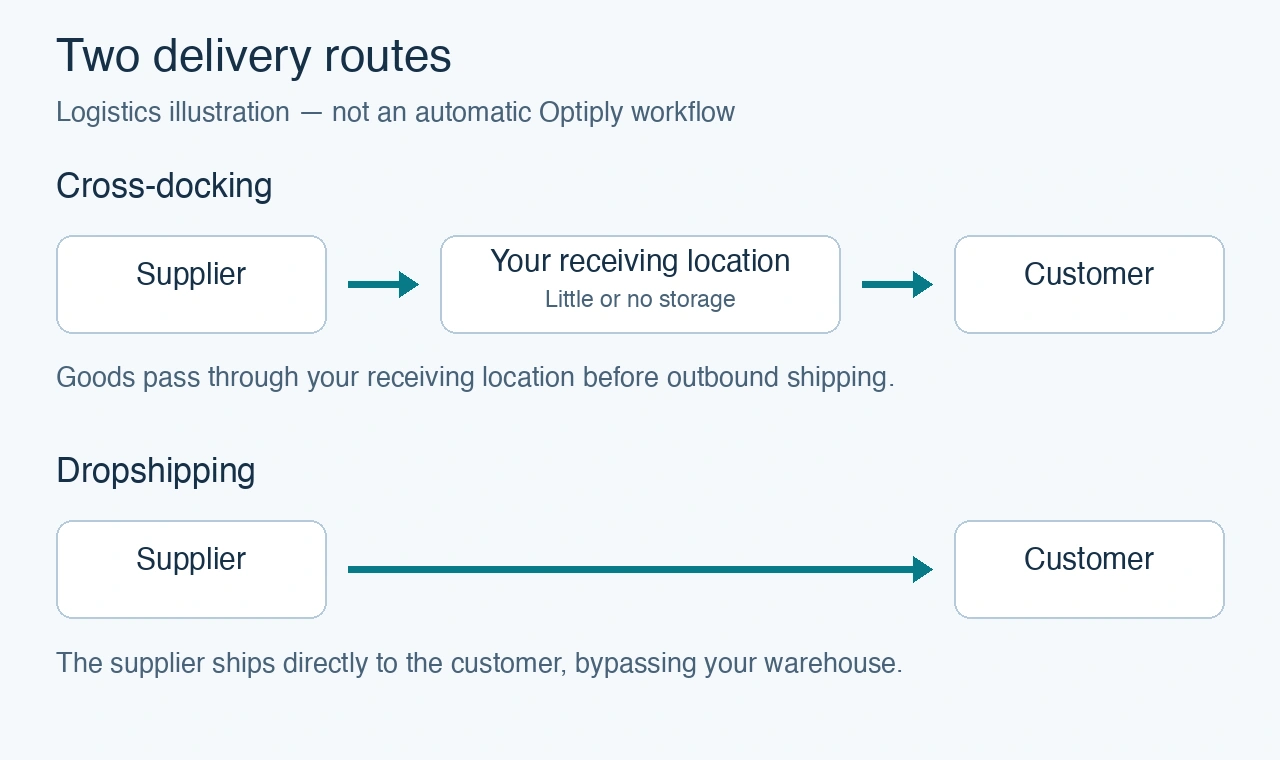
- Cross-docking: incoming goods move from receiving towards outbound shipping with little or no intermediate storage. For example, goods arrive from your supplier and are forwarded to your customer without being placed into regular warehouse storage.
- Dropshipping: the supplier ships directly to the customer, without the goods passing through your warehouse. For example, a customer orders from your shop, and your supplier sends the item directly to them.
How Optiply uses it
How these orders and stock movements appear in Optiply depends on your connected system and specific integration. The terms “cross-docking” and “dropshipping” alone do not tell you whether those flows are included in purchase advice or establish a separate automatic planning mode.
Where to find it
Start with the relevant order, stock and sales information in your connected system, such as your ERP or warehouse management system. Use an example order to identify the records you want to check in Optiply.
What to do
To check how your flow is represented:
- Identify whether the goods pass through your receiving location or go directly from supplier to customer.
- Find an example order and any related stock movements in your connected system.
- If you are unsure how those records appear in Optiply, ask Optiply Support with the connected system, product and example order.
- Confirm how your specific integration represents the orders and related stock and sales information before relying on purchase advice for that flow.
Common misreadings
Does this mean I should change my product settings? Not based on the logistics label alone. First confirm how your integration represents the orders and stock movements. This guide does not prescribe a universal stock or purchasing setup.
Does the illustration show an automatic Optiply workflow? No. It shows the delivery routes only, not automatic detection, order creation or integration settings.